
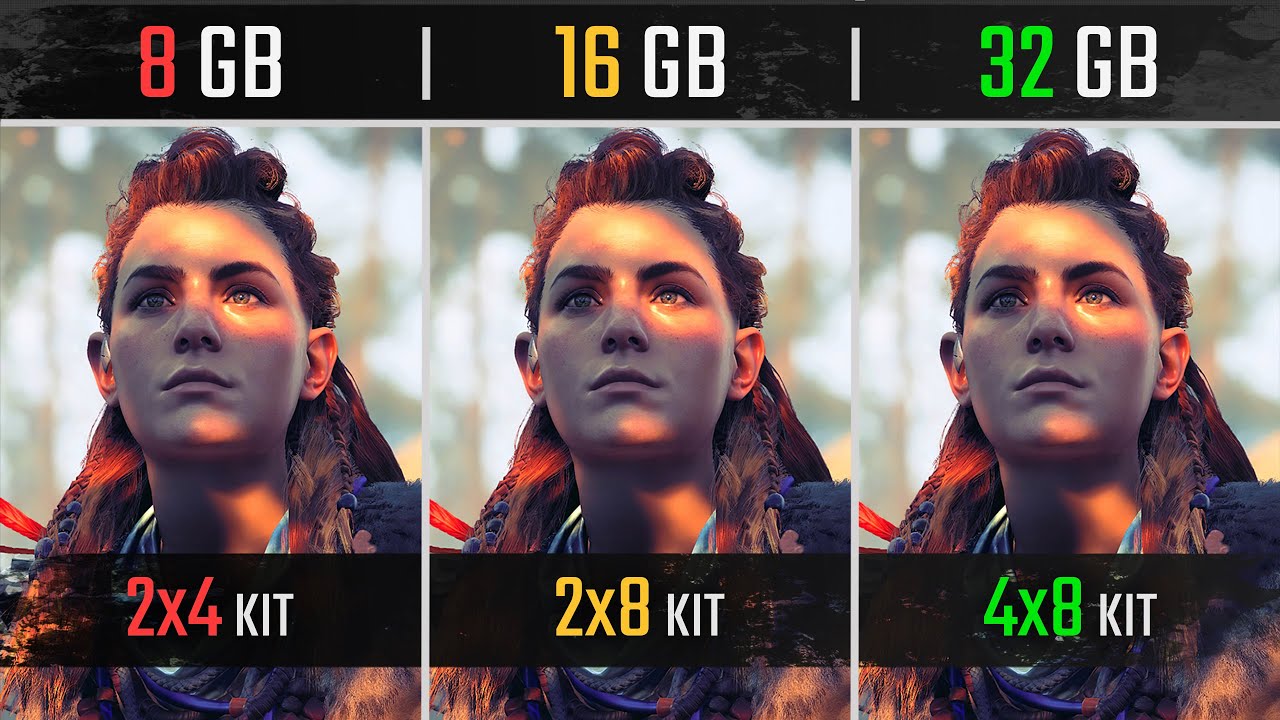
Source www.youtube.com
If you're buying a new computer, or thinking of upgrading such, you might be wondering which RAM size to go with - 16 GB or 32 GB. RAM or Random Access Memory is an essential component of any computer system. RAM is what enables your system to perform multitasking, faster data transfer, and run more significant software applications. Of course, the higher RAM capacity should theoretically mean improved performance, but is it worth it?
The answer is it depends on what you'll use your computer for. For tasks like web browsing, word processing, and even light gaming, 16 GB RAM is more than sufficient. However, if you're into video or photo editing, running a virtual machine, or devoted gaming, 32 GB RAM is the way to go.
Another factor to consider is cost. Simply put, 32 GB RAM is more expensive than 16 GB RAM. So, if cost is a concern, and you're using your computer for everyday tasks, 16 GB RAM may be your ideal choice.
Lastly, it's always important to remember that whether you go for 16 GB RAM or 32 GB RAM, it should be compatible with your computer's motherboard. Be sure to check its specifications before making any purchases.
In conclusion, the golden rule when it comes to RAM size is to determine how you'll be using your computer. 16 GB RAM is great for everyday use, while 32 GB RAM is more suitable for more demanding tasks.
The Basics: What is RAM and why does it matter?
Random Access Memory (RAM) is a crucial part of your computer's hardware that stores data and programs that are actively being used by your computer. RAM provides a temporary working space for your computer's processor to quickly access data and execute instructions. When you launch a program, it's loaded into the RAM, and the processor reads the program from RAM and executes it.
RAM plays a significant role in determining your computer's performance. The more RAM you have, the more programs you can run simultaneously, and the faster your computer can perform tasks. RAM is especially crucial for graphics-intensive tasks, such as gaming, video editing, and 3D rendering, where large amounts of data need to be processed quickly.
Let's take a closer look at how RAM works and the differences between 16 GB RAM vs 32 GB RAM.
How does RAM work?
RAM is used as a temporary working space by your computer's processor. When you open a program, the data needed to run that program is loaded into RAM. The processor then reads the data from RAM, performs calculations and operations, and then writes the results back to RAM. This back-and-forth process happens numerous times every second, making RAM one of the fastest and most essential parts of your computer.
RAM is volatile memory, meaning it stores data only temporarily. Once you shut down your computer, the data saved in RAM is lost. This is why data that needs to be saved permanently is stored on your hard drive or solid-state drive (SSD).
16 GB RAM vs. 32 GB RAM
The amount of RAM you need depends on your computer usage. If you're a casual user who mainly uses your computer for browsing the internet, using Microsoft Office, or watching videos, 16 GB RAM is sufficient and will provide smooth performance.
However, if you're a gamer or a professional who needs to run several programs simultaneously or uses software that requires a large amount of memory, 32 GB RAM would be more suitable.
Below is a comparison chart of the advantages and disadvantages of 16 GB RAM vs 32 GB RAM:
| 16 GB RAM | 32 GB RAM | |
|---|---|---|
| Advantages | Cheaper | More programs can be run simultaneously, Faster load times for large files |
| Disadvantages | May not be suitable for gamers or professionals with high memory requirements | More expensive |
Additionally, to utilize 32 GB RAM, you need to have a compatible motherboard that supports that amount of memory. Check your motherboard's specifications before upgrading your RAM.
In conclusion, RAM plays an important role in determining your computer's performance. Both 16 GB RAM and 32 GB RAM have their advantages and disadvantages, and the amount of RAM you need depends on your computer usage. For casual users, 16 GB RAM is sufficient, while 32 GB RAM is more suitable for gamers and professionals that require large amounts of memory.
For more information, please visit Wikipedia.
Understanding the Differences: 16GB vs. 32GB RAM
1. RAM: What is it and How It Affects Your Computer's Performance
Random Access Memory, or simply RAM, is an essential aspect of computer performance. It is the hardware component where your computer stores temporary data and instructions that it needs to access quickly and frequently. The more RAM your computer has, the more data it can store in this area, which translates to faster overall performance.
RAM can help improve your computer's performance in various ways. It can reduce or eliminate lag, improve the speed of response from your computer's applications, and improve your computer's multitasking ability. RAM size is one of the significant factors that influence how much your computer’s performance will improve regarding its speed and capabilities.
2. 16GB vs. 32GB RAM: Which One Should You Choose?
When it comes to choosing between 16GB and 32GB RAM, it all boils down to what you need from your computer. Before making a choice, it's essential to consider various factors that will influence your computer's performance. Looking at these factors can help you make an informed decision while keeping in mind what you will use your computer for.
| Factors | 16GB RAM | 32GB RAM |
|---|---|---|
| 1. Budget | Cheaper option | More expensive |
| 2. Gaming | Can run most games smoothly | Can handle the most demanding games |
| 3. Video editing | Editing software can run smoothly | Can process large video files faster |
| 4. Multitasking | Can effectively multitask with multiple windows and tabs open | Can run multiple resource-intensive applications simultaneously |
As shown in the table above, choosing between 16GB and 32GB RAM depends on your budget and computer usage. While 16GB RAM is the cheaper option, it can still run most games and handle most video editing software effectively. However, if your job entails handling large video files, you may benefit significantly from using 32GB RAM since it can process large video files faster. Additionally, 32GB RAM allows you to run multiple, resource-intensive applications simultaneously without slowing down your computer's performance.
3. Is 32GB RAM Worth the Extra Cost?
Whether or not 32GB RAM is worth the extra cost depends on your needs. If using your computer for resource-intensive applications, such as video editing and gaming, then 32GB will be a good investment for your computer's performance in the long run.
However, if you're just using your computer for general office work or browsing the internet, then 16GB RAM is sufficient, and investing in 32GB would not be required as it would not improve your computer's performance adequately.
Additionally, it's worth noting that over time, technology will continue to advance, and 32GB RAM will become the standard for most computers. Therefore, investing in 32GB RAM today might guarantee you better, more reliable, and longer-lasting performance for your computer.
Overall, choosing between 16GB and 32GB RAM is primarily dependent on your budget and your computer usage. Making an informed decision comes down to weighing out the pros and cons and identifying which RAM size works best for your computer needs.
For more information on RAM and how it affects your computer's performance, visit Wikipedia.
16 GB RAM vs 32 GB RAM
Performance Comparison: How much of a difference does RAM make?
RAM or Random Access Memory is an important component in any computer system. It is a crucial part of the system that helps in accessing data quickly. The more RAM you have, the faster your computer can work. In this section, we will compare the performance of 16 GB RAM vs 32 GB RAM and determine how much of a difference it makes.
1. What is RAM?
RAM is a volatile memory that temporarily stores data that the CPU needs to access quickly. This memory is cleared when the computer is turned off. RAM is responsible for running all the programs on the computer. It acts as a bridge between the CPU and the storage drive, allowing data to be read and written quickly. The more RAM a computer has, the faster it can perform.
2. Performance Comparison: 16 GB RAM vs 32 GB RAM
When it comes to performance, 32 GB RAM is clearly better than 16 GB RAM. However, the difference may not be significant for the average user. A computer with 16 GB RAM can handle most tasks without any issues. It is more than enough for browsing the web, creating documents, and playing games. However, if you are a power user who runs multiple applications simultaneously or uses resource-intensive programs like Photoshop or video editing software, then 32 GB RAM is a better choice. It provides better performance and can handle more complex tasks more efficiently.
The following table summarizes the performance comparison of 16 GB RAM vs 32 GB RAM based on various factors:
| Factors | 16 GB RAM | 32 GB RAM |
|---|---|---|
| Boot time | Fast | Fast |
| Application load time | Fast | Faster |
| Switching between apps | Fast | Faster |
| Running multiple apps | Slower | Faster |
| Resource-intensive tasks | Slower | Faster |
3. How much RAM do you need?
The amount of RAM you need depends on how you use your computer. For most people, 16 GB RAM is more than enough. It provides enough memory to run multiple apps simultaneously, play games, and do most tasks without any issues. However, if you are a power user who uses resource-intensive programs like video editing software, then 32 GB RAM is a better choice.
Additionally, if you want your computer to be future-proof and want to be able to run the latest programs and games without any issues, then it is recommended to go for 32 GB RAM. This will provide better performance and ensure that your computer can handle any task you throw at it for years to come.
Conclusion
RAM is an essential component of any computer system. When it comes to performance, 32 GB RAM is better than 16 GB RAM. However, the difference in performance may not be significant for most users. It is recommended to choose the amount of RAM based on your usage. If you are a power user who uses resource-intensive programs, then 32 GB RAM is a better choice. If not, 16 GB RAM is more than enough.
For further reading, you can refer to Wikipedia for more information on RAM.
16 GB RAM vs 32 GB RAM: Gaming and Creative Applications
Gaming
When it comes to gaming, having a good amount of RAM can greatly affect the performance of your computer. Both 16 GB and 32 GB RAM can handle most games, but having 32 GB RAM can give you a bit of an edge.
This is because modern games require large amounts of RAM to run seamlessly. 16 GB RAM can run most games, but some newer titles can struggle with it. For example, games like Metro Exodus and Assassin's Creed Odyssey recommend having 16 GB RAM, but they will run better with 32 GB RAM.
Additionally, having more RAM can allow you to have more applications open while gaming, without losing performance. For example, having streaming software or a web browser open while gaming can slow down your gaming experience, but having 32 GB RAM can prevent this from happening.
Table: Gaming Performance Comparison
| RAM Amount | Game Performance |
|---|---|
| 16 GB | Good performance for most games, but newer titles may struggle |
| 32 GB | Great performance for most games, including newer titles |
Overall, while 16 GB RAM can handle most games, having 32 GB RAM can give you an edge, especially for running newer games or having additional applications open while gaming.
Creative Applications
When it comes to creative applications, like video editing or graphic design, RAM can greatly affect the speed and efficiency of your workflow. In this case, having more RAM is almost always better.
Creative applications like Adobe Photoshop, Illustrator, or Premiere Pro require large amounts of RAM to function smoothly. The more RAM you have, the better your computer can handle large files and complex tasks. For example, rendering a complex video or editing a large image file can take a long time with 16 GB RAM, but it can be much faster with 32 GB RAM.
List: Creative Applications RAM Requirements
- Adobe Photoshop CC - 8 GB minimum, 16 GB recommended, 32 GB for best performance
- Adobe Illustrator CC - 8 GB minimum, 16 GB recommended, 32 GB for best performance
- Adobe Premiere Pro CC - 8 GB minimum, 16 GB recommended, 32 GB for best performance
- Final Cut Pro X - 8 GB minimum, 16 GB recommended, 32 GB for best performance
Overall, if you frequently use creative applications or work with large files, having 32 GB RAM can greatly improve your workflow and efficiency.
Conclusion
In conclusion, both 16 GB and 32 GB RAM can perform well, depending on the task at hand. For gaming, 16 GB RAM can handle most games, but having 32 GB RAM can give you an edge, especially for newer titles or additional applications open while gaming. For creative applications, having 32 GB RAM can greatly improve your workflow and efficiency, especially when working with large files. Ultimately, the choice between 16 GB RAM vs 32 GB RAM depends on your personal preferences and needs.
External Link: Wikipedia - Random-access memory
16GB RAM vs 32GB RAM
Future-Proofing Your System: Is 32GB worth the investment?
When building a new computer or upgrading an existing one, one of the most important decisions that you will need to make is how much RAM your system needs. In today's world of ever-increasing demands on our systems, it's important to choose the right amount of RAM with an eye towards the future. While 16GB of RAM has traditionally been the standard, many people are now looking towards 32GB of RAM as a way to future-proof their systems and ensure that they can handle any task that comes their way. In this article, we'll take a closer look at the differences between 16GB and 32GB of RAM and help you decide which option is right for you.
What is RAM?
For those who may not be familiar with it, RAM stands for Random Access Memory and is used by your computer to temporarily store data that it needs to access quickly. This can include things like running programs, opening files, and browsing the internet. RAM is measured in gigabytes (GB) and is an essential component of any computer system. When you have more RAM, your computer can handle more tasks simultaneously, which can lead to a faster and more responsive system.
16GB vs. 32GB: What's the difference?
The biggest difference between 16GB and 32GB of RAM is simply the amount of memory that you have available. With 16GB of RAM, you should be able to comfortably run most modern programs and games without any issues. However, if you are someone who regularly uses memory-intensive applications such as video editing software or virtual machines, you may find that 16GB starts to feel a little cramped. In contrast, 32GB of RAM gives you a lot more headroom for running multiple applications at the same time while still maintaining good performance.
| RAM | Pros | Cons |
|---|---|---|
| 16GB | - Good enough for most users - Affordable - Widely available | - Limited multitasking - Might not be enough for memory-intensive tasks |
| 32GB | - Great for power users - Excellent for memory-intensive tasks - Future-proofing your system | - More expensive - May not be necessary for most users |
Future-Proofing Your System
One of the biggest advantages of choosing 32GB of RAM over 16GB is future-proofing. With technology advancing at such a rapid pace, it's difficult to predict what the next few years will bring. By choosing 32GB of RAM, you are essentially ensuring that your system will be able to handle anything that comes its way for the next few years. This can be especially beneficial if you tend to keep your systems for a long time before upgrading.
That being said, it's worth noting that 32GB of RAM may not be necessary for everyone. If you are a casual computer user who mainly uses their system for browsing the internet and doing basic tasks, then 16GB of RAM will likely be more than enough. However, if you are someone who runs memory-intensive applications or is a power user who frequently multitasks, then 32GB of RAM might be worth the investment.
Conclusion
In the end, the choice between 16GB and 32GB of RAM comes down to your specific needs. If you are a casual user who mainly uses their system for basic tasks, then 16GB of RAM should be sufficient. However, if you are a power user who runs memory-intensive applications or likes to multitask, then 32GB of RAM might be worth investing in. Ultimately, the decision rests with you and what you feel is best for your system and your needs.
For more information on RAM and computer hardware, check out Wikipedia's article on Random Access Memory.
16 GB RAM vs 32 GB RAM
When it comes to upgrading your computer's RAM, one important decision you need to make is how much RAM you need. Two of the most popular options are 16 GB RAM and 32 GB RAM, which provide different benefits depending on your usage and needs.
1. 16 GB RAM: Benefits and Considerations
16 GB RAM is more than enough for most computer users, including gamers, web designers, and even some video editors. This amount of RAM can handle most applications and processes, and can even handle multiple open applications at once. It's also a more affordable option compared to 32 GB RAM.
However, if you're planning on doing heavy-duty tasks such as running virtual machines, working with large files, or rendering 3D graphics, you may experience some slowdowns with 16 GB RAM. Additionally, if you're planning to keep your computer for a few years, you may want to consider going for a higher amount of RAM as applications and software will only become more demanding and resource-intensive over time.
2. 32 GB RAM: Benefits and Considerations
32 GB RAM is considered overkill for most users, but it can be a great investment for those who need to do demanding tasks regularly. For instance, if you're running multiple advanced applications at once, rendering high-quality videos, or processing large amounts of data, you'll benefit from having 32 GB RAM.
On the downside, 32 GB RAM is more expensive and may not work optimally with certain processors or motherboards. Additionally, unless you're doing tasks that require a lot of RAM, you won't see any significant improvements in performance compared to 16 GB RAM.
3. How to Choose the Right Amount of RAM
Choosing the right amount of RAM can be a bit tricky, but there are a few factors that can guide your decision:
| Factors to consider | 16 GB RAM | 32 GB RAM |
|---|---|---|
| Budget | ✅ | ❌ |
| Computer usage | ✅ | ❌ |
| Future-proofing | ❌ | ✅ |
Consider your budget, your computer usage, and how long you plan to keep your computer. If you're on a tight budget and don't do demanding tasks, 16 GB RAM is a good option. If you're doing memory-intensive tasks and want your computer to last for at least a few years, investing in 32 GB RAM is worth it.
4. Upgrading Your RAM: Tips and Things to Remember
If you've decided to upgrade your RAM, here are some tips to keep in mind:
- Check your computer's documentation or specifications to determine the type and amount of RAM you need.
- Make sure the RAM you purchase is compatible with your computer's motherboard and processor.
- Install RAM in pairs to take advantage of dual-channel memory, which can improve performance.
- When installing RAM, be gentle and avoid touching the gold connectors as they can be easily damaged.
- After installing RAM, make sure to update your computer's BIOS to ensure it recognizes the new RAM.
Upgrading your RAM can provide a significant improvement in your computer's performance and can extend its lifespan. By considering your budget, computer usage, and future needs, you can determine how much RAM you need and make an informed decision.
External link: https://en.wikipedia.org/wiki/DDR4_SDRAM
16 GB RAM vs 32 GB RAM: Which one should you choose?
If you're planning to buy a new computer or upgrade your old one, choosing the right amount of RAM can be a bit confusing. The most common options available in the market are 16 GB and 32 GB RAM. Both have their benefits and drawbacks, and the decision ultimately depends on your needs.
1. What is RAM and how does it affect performance?
RAM or Random Access Memory is a type of computer memory that is used for temporary storage of data. It stores the data that the processor needs to access quickly. The more RAM you have, the more data your computer can store in it. This results in improved performance, especially when running multiple applications simultaneously.
Basically, RAM acts as a middleman between the processor and the hard drive. When you open an application, it is loaded into the RAM, and the processor accesses it from there instead of the hard drive.
2. 16 GB RAM: Pros and Cons
| Pros | Cons |
|---|---|
| Less expensive than 32 GB RAM | May not be enough for some heavy-duty tasks |
| Enough for most everyday tasks and moderate gaming | May not provide the best performance in some cases |
16 GB RAM is a good option for most people who use their computers for everyday tasks such as browsing the web, checking emails, and streaming videos. It is also enough for moderate gaming and some light video editing. However, if you're using your computer for heavy-duty tasks like 3D rendering, video editing, or gaming, 16 GB RAM may not be enough.
3. 32 GB RAM: Pros and Cons
| Pros | Cons |
|---|---|
| Great for heavy-duty tasks like 3D rendering and video editing | More expensive than 16 GB RAM |
| Offers superior performance in most cases | May be overkill for most everyday tasks |
32 GB RAM is a great option for professionals who use their computers for heavy-duty tasks like 3D rendering, video editing, and gaming. It offers superior performance and can handle multiple applications running simultaneously with ease. However, it may be overkill for most everyday tasks.
4. Other Factors to Consider
While the amount of RAM is an important factor, it's not the only one to consider. You should also consider other factors like the CPU, GPU, storage, and motherboard. A good balance between all these factors is essential for optimal performance.
You should also consider the type of applications you'll be running. If you're using applications that require a lot of RAM, like 3D rendering software, video editing software, or gaming, you'll need more than 16 GB RAM. However, if you're using your computer for everyday tasks, 16 GB RAM should be fine.
5. Price Comparison
The price difference between 16 GB and 32 GB RAM can vary depending on the brand and model. However, on average, 32 GB RAM costs around twice as much as 16 GB RAM. If you're on a budget, 16 GB RAM is the better option.
6. Which one should you choose?
The decision ultimately depends on your needs and budget. If you're using your computer for everyday tasks, moderate gaming, and light video editing, 16 GB RAM should be enough. However, if you're using your computer for heavy-duty tasks like 3D rendering, video editing, or gaming, 32 GB RAM is the better option.
7. Conclusion: Making the best decision for your needs
Choosing the right amount of RAM is important for optimal computer performance. While 16 GB RAM is sufficient for most everyday tasks and moderate gaming, 32 GB RAM is the better option for heavy-duty tasks like 3D rendering, video editing, or gaming. However, it's not just about the amount of RAM, you should also consider other factors like the CPU, GPU, storage, and motherboard. Ultimately, the best decision depends on your needs and budget.
For more information on RAM and its specifications, you can visit Wikipedia.
FAQ and Conclusions
Here are some frequently asked questions and their answers regarding the comparison between 16 GB RAM and 32 GB RAM:
1. Is 16 GB RAM enough for gaming?
Yes, 16 GB RAM is enough for most games. However, some newer games and high-end AAA titles may require more RAM.
2. Can 32 GB RAM improve gaming performance?
Yes, in some cases 32 GB RAM can improve gaming performance, especially if you're playing heavy-duty games or multitasking.
3. Do I need 32 GB RAM for video editing?
It depends on the complexity of your projects. For simple video editing, 16 GB RAM should be sufficient. However, if you're working on more intricate and demanding projects, 32 GB RAM may be beneficial.
4. Can 32 GB RAM increase my computer's speed?
Yes, 32 GB RAM can increase your computer's speed, but it depends on the tasks you're performing. For basic day-to-day activities, 16 GB RAM is more than enough.
5. Is 32 GB RAM overkill for gaming?
Yes, 32 GB RAM is overkill for most gaming purposes. It's only required if you're using multiple applications at once, running games on multiple monitors, and using VR headsets.
6. Does 16 GB RAM limit multitasking?
No, 16 GB RAM is sufficient for multitasking and running multiple applications.
7. Is more RAM better for streaming?
Yes, having more RAM can be beneficial for streaming, especially if you're streaming high-quality content. 32 GB RAM can reduce buffering and enhance the streaming experience.
8. Can 32 GB RAM reduce video rendering time?
Yes, more RAM can reduce the rendering time of videos. 32 GB RAM allows video editing software to load and manipulate large files quickly.
9. Is 32 GB RAM worth the cost?
It depends on your usage. For average users, 16 GB RAM is more than enough. However, if you're a hardcore gamer or professional video editor, 32 GB RAM may be worth the extra expense.
10. Does 16 GB RAM offer value for money?
Yes, 16 GB RAM is an excellent value for most users. It offers enough performance for every day-to-day task at a more affordable cost.
In conclusion, whether you need 16 GB RAM or 32 GB RAM depends on your usage. For most average users, 16 GB RAM should be just fine. However, if you're a gamer or professional user, 32 GB RAM may be beneficial. Additionally, the extra cost of 32 GB RAM isn't worth it for most users. So, choose wisely based on your needs and budget.


Post a Comment
Post a Comment