
Source www.nordicid.com
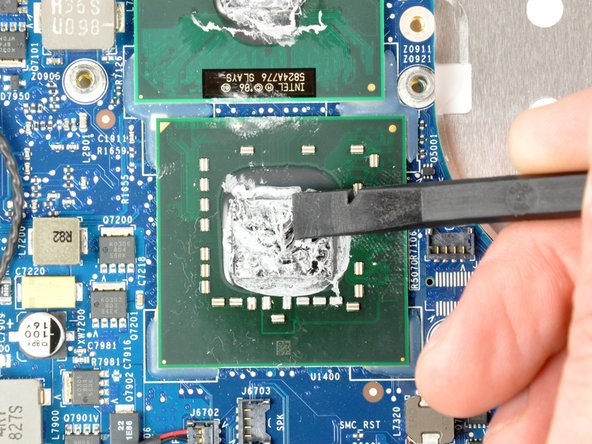
If you're a tech enthusiast, you're most likely familiar with the term "CPU thermal throttling." But for those who are unfamiliar, CPU thermal throttling is a process that specifically helps regulate the temperature of your computer's CPU by adjusting its clock speed when the temperature gets too high. How important is CPU thermal throttling, and why should you pay attention to it?
One of the benefits of CPU thermal throttling is that it helps prolong the lifespan of your computer's hardware. CPUs are designed to operate within specific temperature ranges, and exceeding these limits can lead to damage. With thermal throttling, your CPU is protected from overheating.
Moreover, CPU thermal throttling can also help prevent system crashes and improve overall performance. By reducing the clock speed, your computer will use less power and generate less heat, making it more efficient and stable.
Overall, CPU thermal throttling plays a crucial role in maintaining the health and performance of your computer. By keeping your CPU cool, you can ensure that your computer runs smoothly and lasts longer. Make sure to keep an eye on your CPU's temperature and take steps to prevent overheating.
Understanding CPU Thermal Throttling Basics
CPU thermal throttling is a safety mechanism implemented by CPU manufacturers to prevent damage to the processor due to excessive heat. This mechanism is designed to slow down the CPU's clock speed when its temperature reaches a certain threshold. When a CPU reaches its maximum operating temperature, it can cause instability, crashes, and permanent damage to the chip. Thermal throttling aims to prevent these outcomes by limiting the CPU's clock speed and reducing its power consumption, which in turn reduces the amount of heat generated by the CPU.
Thermal throttling is a common occurrence in modern CPUs since they generate a lot of heat due to their high clock speeds and excessive processing power. Without a thermal throttling mechanism, the CPU would rapidly overheat and shut down, which is why this mechanism is so important in modern computing.
While thermal throttling is an essential safety feature, it can negatively affect a computer's performance. When a CPU reduces its clock speed to prevent overheating, it can lower the computer's overall processing power, which can lead to slower application load times and reduced system responsiveness. Since the CPU is the "brain" of the computer, its performative capabilities are essential to the computer's overall performance.
There are several different factors that can trigger thermal throttling, including high ambient temperatures, poor ventilation, and overclocking. Overclocking is a process in which users modify their CPU's clock speed to increase performance. While overclocking can be effective, it can also put additional stress on the CPU and cause it to overheat more quickly, triggering thermal throttling.
The table below summarizes the essential information about CPU thermal throttling:
| Term | Description |
|---|---|
| Thermal Throttling | A safety mechanism employed by CPU manufacturers to slow down the CPU's clock speed when its temperature reaches a specific threshold to prevent damage to the processor due to excessive heat |
| CPU Overheating | When a CPU reaches its maximum operating temperature it can cause instability, crashes, and permanent damage to the chip |
| CPU Clock Speed | The rate at which a CPU can execute instructions, measured in GHz (Gigahertz) |
| CPU Power Consumption | The amount of power consumed by the CPU, measured in Watts (W) |
Key Takeaways:
- In modern CPUs, thermal throttling is a common occurrence.
- CPU manufacturers implement thermal throttling as a safety mechanism to prevent damage to processors.
- Thermal throttling reduces the CPU's clock speed and power consumption, which in turn reduces the amount of heat generated by the CPU.
- Thermal throttling negatively affects CPU performance and leads to slower application load times and reduced system responsiveness.
- Factors that trigger thermal throttling include high ambient temperatures, poor ventilation, and overclocking.
For more information on CPU thermal throttling, visit Wikipedia.
To prevent CPU thermal throttling, it's important to keep an eye on your CPU temperature. For more information on how to monitor your CPU temperature using MSI afterburner, check out this pillar link.
Causes of CPU Thermal Throttling
CPU thermal throttling is a crucial factor that affects the performance and lifespan of your computer. When a CPU overheats, the system automatically reduces its clock speed to prevent it from reaching critical temperatures, which can damage the chip. This mechanism is imperative because it helps to maintain stability and prevent crashes, but it can also cause a significant decrease in performance. The following are the most common causes of CPU thermal throttling:
1. Poor ventilation and airflow
The most common cause of CPU thermal throttling is poor ventilation and airflow. This occurs when your computer's fans are not functioning correctly, or there is too much dust and debris in the cooling system. When airflow is restricted, heat builds up, and the CPU reaches critical temperatures, resulting in thermal throttling.
To prevent poor ventilation and airflow, it's essential to keep your computer's cooling system clean. This can be achieved by regularly cleaning the fans, air vents, and heat sink using compressed air or a soft brush. You may also consider upgrading your computer's fans to improve airflow and increase cooling efficiency.
2. Overclocking
Overclocking is a technique used to increase the clock speed of a CPU's clock speed beyond the manufacturer's recommended specifications. Although overclocking can provide a significant performance boost, it also generates more heat than the CPU was designed to handle. If adequate cooling is not available, the CPU can overheat, causing thermal throttling.
Overclocking can be performed using the computer's BIOS or by using third-party software. However, it's crucial to note that overclocking puts a significant strain on the CPU and can shorten its lifespan. If you must overclock your CPU, ensure that you have adequate cooling, and monitor the CPU's temperature to prevent overheating.
3. High ambient temperatures
The temperature in the room where your computer is located can significantly affect the CPU's temperature. If the ambient temperature is high, the CPU's temperature will also rise, potentially causing thermal throttling. This is especially common in environments without air conditioning or areas with inadequate ventilation.
If you're experiencing thermal throttling due to high ambient temperatures, consider moving your computer to a more ventilated area with cooler temperatures. You may also consider investing in a room air conditioner to maintain a cooler temperature in the room.
4. Defective hardware components
Defective or damaged hardware components, such as malfunctioning fans or a damaged heat sink, can also cause the CPU to overheat, resulting in thermal throttling. This is particularly common in older computers that have been used for an extended period.
If you suspect that a hardware component is causing thermal throttling, you may need to replace the damaged part to address the issue. It's important to ensure that you only use high-quality replacement parts that are compatible with your computer's specifications.
In conclusion, CPU thermal throttling is a critical factor that affects the performance and lifespan of your computer. The most common causes of thermal throttling are poor ventilation and airflow, overclocking, high ambient temperatures, and defective hardware components. To prevent thermal throttling, it's essential to maintain a clean and well-ventilated computer, avoid overclocking without adequate cooling, maintain optimal room temperatures, and replace defective hardware components immediately.
For more information on CPU thermal throttling, visit Wikipedia's page on thermal throttling.
How to Detect CPU Thermal Throttling
If you suspect that your computer is running much slower than it should, it is possible that your CPU is experiencing thermal throttling. Thermal throttling is a method used by CPUs to reduce their temperature and prevent damage. In this article, we will go over how you can detect CPU thermal throttling.
1. Check CPU Temperature
The first way to detect CPU thermal throttling is by checking your CPU temperature. You can use a software program to read your CPU processor's temperature. The normal temperature for most CPUs is around 50-70°C (122-158°F). If your CPU temperature exceeds this range and goes beyond 90°C (194°F), it is highly likely that your CPU is experiencing thermal throttling.
One of the most popular CPU temperature monitoring software is HWMonitor. This program provides various temperature readings such as CPU, GPU, and other component temperatures. The program also offers graphical representation of the CPU's temperature, so it is easier to monitor the CPU's temperature while running a CPU-intensive task.
| Software Name | Operating System | Price |
|---|---|---|
| HWMonitor | Windows, Mac, Linux | Free |
| AIDA64 | Windows | $39.95 |
| GKrellM | Linux, BSD, Unix | Free |
2. Check CPU Performance
The second way to detect CPU thermal throttling is by checking your CPU's performance. When a CPU experiences thermal throttling, it slows down its clock speed to reduce power consumption and temperature, which impacts its overall performance. You can use benchmarking software to measure your CPU's performance and compare it to the manufacturer's specification.
One of the most popular benchmarking software is Cinebench. This program measures CPU and graphics card performance using real-world tasks. The program provides both single-threaded and multi-threaded performance scores and can be used to compare your CPU's performance to other CPUs.
| Software Name | Operating System | Price |
|---|---|---|
| Cinebench | Windows, Mac, Linux | Free |
| Geekbench | Windows, Mac, Linux, Android, iOS | $9.99 - $99.99 |
| 3DMark | Windows, Android | $29.99 - $49.99 |
3. Check CPU Power Consumption
The third way to detect CPU thermal throttling is by checking your CPU's power consumption. When a CPU experiences thermal throttling, it reduces its clock speed to reduce power consumption and temperature. You can use a software program to monitor your CPU's power consumption and compare it to the manufacturer's specification.
One of the most popular CPU power monitoring software is HWiNFO. This program provides various readings on your computer's hardware, including your CPU's power consumption. The program also provides graphs and tables to help you visualize the data more effectively.
| Software Name | Operating System | Price |
|---|---|---|
| HWiNFO | Windows | Free |
| Open Hardware Monitor | Windows | Free |
| CPU-Z | Windows | Free |
In summary, there are three ways to detect CPU thermal throttling: checking CPU temperature, checking CPU performance, and checking CPU power consumption. By utilizing software programs that monitor these aspects, you can identify if your CPU is experiencing thermal throttling. It is essential to address the issue of thermal throttling to ensure that your CPU does not sustain any damage or perform significantly slower than it should.
Sources: Wikipedia
Dangers of CPU Thermal Throttling
CPU Thermal Throttling is a process by which the processor slows down to protect itself from overheating. It is a form of self-preservation but can also be dangerous when it occurs frequently or for extended periods. The following subtopics discuss in detail the dangers of CPU thermal throttling:
1. Reduced Performance
When the CPU is in thermal throttling, it reduces its speed to minimize heat generation. As a result, your computer runs slower and programs take longer to load or execute. This is particularly frustrating for gamers or those running memory-intensive applications like video editing, which rely on optimal performance.
| Dangers of CPU Thermal Throttling | Example |
|---|---|
| Reduced Performance | Slower computer, longer load times, and lower FPS for gamers. |
| Reduced Lifespan of CPU | CPU may fail or need to be replaced sooner. |
| Partition Table Loss or Corruption | Corrupted data may lead to system instability, crashes, and lost work. |
2. Reduced Lifespan of CPU
When the CPU is in thermal throttling, it runs at a speed lower than its rated frequency, which can also reduce its lifespan. This is because the processor's designed lifespan is based on its rated frequency and performance. When the CPU's frequency is reduced, it can exceed its operating temperature range more often, further reducing its lifespan.
3. Partition Table Loss or Corruption
When the CPU is in thermal throttling, it can result in the corruption or loss of data present in the partition table, which is a critical data structure for disk performance. A corrupted partition table can result in system instability, crashes, and lost work. It can also lead to disk read and write errors, ultimately contributing to disk failure.
4. Increased Power Consumption
A thermal throttling CPU consumes more power than a non-throttling CPU. This is because the processor must work harder to maintain its performance while operating at reduced frequencies. As a result, you may experience a higher electricity bill or run out of battery charge faster if you're using a laptop or mobile device.
| Dangers of CPU Thermal Throttling | Example |
|---|---|
| Reduced Performance | Slower computer, longer load times, and lower FPS for gamers. |
| Reduced Lifespan of CPU | CPU may fail or need to be replaced sooner. |
| Partition Table Loss or Corruption | Corrupted data may lead to system instability, crashes, and lost work. |
| Increased Power Consumption | Higher electricity bills or shorter battery life for laptops and mobile devices. |
It is crucial to monitor your CPU's temperature and ensure that it is within operating limits. This can be accomplished through monitoring software or the BIOS settings. When your computer or laptop is performing CPU-intensive tasks, make sure it's well-ventilated, and that the cooling system is working correctly to prevent thermal throttling.
In conclusion, CPU Thermal Throttling is a necessary safety mechanism designed to protect the processor from overheating and damage, but can pose risks when it occurs frequently or for extended periods. Knowing these dangers and how to prevent them can go a long way in keeping your computer running smoothly and helping it reach its full potential.
External Link: Thermal Throttling - Wikipedia
Fixing CPU Thermal Throttling with Cooling Solutions
CPU thermal throttling is a protective mechanism of the Central Processing Unit (CPU) to avoid overheating. When the CPU temperature reaches a certain level, it slows down its clock speed to prevent further increase in temperature. Thermal throttling can result in slower performance, random shut downs, and even damage to the CPU. Fortunately, there are several cooling solutions to fix CPU thermal throttling.
Air Cooling
Air cooling is the most common and budget-friendly way to cool down a CPU. It uses a heatsink and fan to dissipate the heat generated by the CPU. The heatsink absorbs the heat from the CPU, while the fan blows cold air over the heatsink to cool it down. The fan can be either a stock cooler that comes with the CPU or an aftermarket one. Aftermarket fans are usually larger and more efficient than stock coolers. They can also be customized with LED lights or quieter fans. The table below shows the top aftermarket CPU air coolers:
| Brand | Cooler Name | Fan Size | Noise level (dBA) | Price |
|---|---|---|---|---|
| Noctua | NH-D15S | 140mm | 24.6 | $89.95 |
| be quiet! | Dark Rock Pro 4 | 135mm | 24.3 | $89.90 |
| Cooler Master | Hyper 212 Black Edition | 120mm | 26 | $39.99 |
Air cooling is easy to install, and it does not require maintenance. However, it may not be effective in high-temperature environments or when overclocking the CPU.
Water Cooling
Water cooling is a more advanced and expensive way to cool down a CPU. It uses a liquid coolant that flows through a closed loop, transferring heat from the CPU to a radiator where the heat is dissipated by fans. Water cooling provides better cooling efficiency than air cooling, as it can handle higher temperatures and provide more precise temperature control. The table below shows the top CPU water cooling systems:
| Brand | Cooler Name | Radiator Size | Noise level (dBA) | Price |
|---|---|---|---|---|
| Corsair | iCUE H150i Elite Capellix | 360mm | 10-36 | $199.99 |
| Thermaltake | Water 3.0 ARGB | 240mm | 25 | $129.99 |
| NZXT | Kraken Z73 | 360mm | 21-38 | $279.99 |
Water cooling requires more maintenance and installation compared to air cooling. It also has a higher risk of leaks and can be noisy if the pump is not properly installed.
Thermal Paste Replacement
Thermal paste is a compound that fills the microscopic gaps between the CPU and the heatsink, improving heat transfer. Over time, the thermal paste can dry out or lose its effectiveness, resulting in higher temperatures and thermal throttling. A simple fix is to replace the thermal paste with a new one. The table below shows some of the top thermal pastes:
| Brand | Paste Name | Thermal Conductivity (W/mK) | Price |
|---|---|---|---|
| Noctua | NT-H2 | 12.5 | $13.90 |
| Arctic Silver | 5 | 8.9 | $9.99 |
| Gelid | GC-Extreme | 8.5 | $11.99 |
Thermal paste replacement is a cheap and easy fix for CPU thermal throttling. It can improve the temperature by a few degrees Celsius, but it may not be enough for high-end CPUs or when overclocking.
Undervolting
Undervolting is the process of reducing the voltage supplied to the CPU, resulting in lower power consumption and less heat generated. Undervolting can be done through the BIOS or using third-party software. The table below shows some of the top undervolting software:
| Brand | Software Name | Price |
|---|---|---|
| Intel | XTU | Free |
| AMD | Ryzen Master | Free |
| ThrottleStop | ThrottleStop | Free |
Undervolting can reduce the temperature by a few degrees Celsius, but it may affect the stability and performance of the CPU. It also requires trial and error to find the optimal voltage for each CPU.
Conclusion
CPU thermal throttling can be fixed by using various cooling solutions, such as air cooling, water cooling, thermal paste replacement, and undervolting. The choice of cooling solution depends on the budget, preferences, and CPU usage. Air cooling is the most common and budget-friendly solution, while water cooling provides better cooling efficiency at a higher price point. Thermal paste replacement is a cheap and easy fix, and undervolting can reduce the temperature and power consumption of the CPU at the cost of stability and performance. By choosing the right cooling solution, one can prevent CPU thermal throttling and enjoy smooth and fast performance.
External link: https://en.wikipedia.org/wiki/Thermal_throttling
Avoiding CPU Thermal Throttling with System Optimization
When a computer becomes hot, it can determine CPU thermal throttling. If the temperature gets too high, a processor will slow down to prevent damage to the system. In turn, it affects the performance of the machine. This issue can occur in both desktops and laptops. Fortunately, there are ways to avoid CPU thermal throttling by optimizing the system. Here are six different ways to prevent CPU thermal throttling:
1. Clean Your Computer Regularly
When dust accumulates on your computer's components, it can hinder the airflow. Dust can cause an increased thermal insulation effect, making the computer hotter than usual. This issue is particularly common in desktop computers, where dust accumulation can be significant. To prevent the accumulation of dust in your computer, you should clean it regularly. You should focus on the CPU cooler, the front air intake, and the power supply unit.
2. Improve the Airflow in Your Computer
Improving the airflow in your computer can make a big difference in preventing CPU thermal throttling. If a computer has poor airflow, the temperature inside can rise quickly, leading to thermal throttling. To improve the airflow, you should enhance the existing cooling system. A water-cooling system can also be considered as an alternative. Lastly, you should add more fans to your computer.
3. Use Thermal Paste or Thermal Pads to Control Heat
After you open your computer, you should check the thermal paste on your CPU. If there are signs of solidified glue or no thermal paste applied, you should wipe it off and apply a new one in its place. Thermal pads are another alternative to thermal paste, but you should ensure they’re compatible with your processor. Thermal paste and thermal pads are used to bridge the gap between the CPU and the cooling system.
4. Underclocking the Processor
Underclocking means running the processor at a lower clock speed than it was intended to. This method can decrease the production of heat in your CPU. You should note that underclocking can reduce the performance of your computer as it operates much slower. The CPU clock rate affects how fast a computer runs programs, so it's best to use this tip sparingly.
5. Shutting Down Background Applications
The more applications running on your computer, the higher the thermal demand. Applications need CPU clock cycles to operate, thereby increasing overall CPU usage. The CPU will similarly overheat, resulting in thermal throttling. When you shut down background applications, you decrease the thermal demand on your processor, helping to prevent CPU thermal throttling.
6. Upgrade Your CPU Cooler
If none of these tips have been successful in preventing thermal throttling, upgrading your CPU cooler might be necessary. The current CPU cooler could have an insufficient cooling capacity to keep your CPU in check. You should consider asking a professional to upgrade the CPU cooler for you or purchase a new one. Cooler master, Corsair, and Noctua are some of the most reputable brands that manufacture CPU coolers.
By optimizing your system with some of these methods, you'll avoid the occurrence of CPU thermal throttling, keep your computer cool, and increase its longevity. Eliminating thermal throttling will also permit your computer to operate at maximum performance levels without lagging or stalling.
References:
- "Thermal Throttling." Wikipedia, Wikimedia Foundation, 13 Oct. 2021,
https://en.wikipedia.org/wiki/Thermal_throttling.
Impact of CPU Thermal Throttling on Performance and Longevity
7. How to Avoid CPU Thermal Throttling
A CPU thermal throttling can be prevented from happening by following some best practices as discussed below:
| Best Practices | Explanation |
|---|---|
| Adding more Cooling Devices | When the CPU temperature goes up, it is an indication that your computer requires better cooling. An effective way of addressing this problem is to add more cooling devices like fans, heat sinks, or liquid cooling to improve the flow of air and dissipate heat. |
| Cleaning the CPU Cooling System | Dust is one of the significant challenges that restrict the flow of hot air generated by the CPU system. This leads to the temperature being high, resulting in thermal throttling. You can clean the CPU cooling system regularly to avoid this problem. |
| Use High-Quality Thermal Paste | A thermal paste offers better conductivity, and it is used to fill the gaps where the fan and the heat sink come in contact. This results in a better heat dissipation process, and thus thermal throttling is avoided. |
| Check for Airflow in Your System | There should be enough ventilation space for the hot air to escape from your computer system. If there is no sufficient airflow, heat accumulation may occur, and this may result in thermal throttling. Checking for airflow can help to avoid this problem. |
| Adjusting the Fan Speed | The fan speed should be adjusted depending on the workload to avoid overworking the CPU. This helps to maintain a cooler temperature in the laptop or the computer and avoid thermal throttling |
Other methods of avoiding CPU thermal throttling include avoiding overclocking, ensuring the computer's BIOS is up to date, and using high-quality thermal pads. These solutions help to keep the temperature of the CPU system in check, and you will have no issues with thermal throttling.
CPU thermal throttling impedes a computer's performance and may affect its overall lifespan if not addressed. You can detect if your computer suffers from thermal throttling by monitoring the CPU's temperature using thermal monitoring software.
However, the most effective way of preventing thermal throttling is by following the measures discussed above: adding more cooling devices, cleaning the CPU cooling system, using high-quality thermal paste, ensuring enough airflow in the system, and adjusting the fan speed. These methods are easy to implement and cost-effective, and they can help to avoid thermal throttling.
By adopting these measures, you will improve your computer system's performance, make it durable, and avoid the issue of thermal throttling altogether.
Learn more about thermal throttling and its effect on CPU performance by visiting the Wikipedia page on thermal throttling.
FAQ and Conclusions
- What is CPU thermal throttling?
- What causes CPU thermal throttling?
- What are the effects of CPU thermal throttling?
- Is CPU thermal throttling normal?
- How can I fix CPU thermal throttling?
- Can CPU thermal throttling damage my computer?
- Is CPU thermal throttling the same as CPU throttling?
- What is the maximum temperature for a CPU?
- Why is my CPU constantly throttling?
- Can CPU thermal throttling affect gaming performance?
CPU thermal throttling is a safety measure that reduces the CPU's performance to prevent overheating by lowering the clock speed.
CPU thermal throttling occurs when the CPU temperature reaches a critical level, and the cooling system cannot cool it down fast enough.
The main effect of CPU thermal throttling is reduced performance, which can result in slower application load times and reduced frame rates while gaming.
CPU thermal throttling is a standard safety measure designed to prevent the hardware from overheating and getting damaged, so in that sense, it is normal. However, it can be a sign of inadequate cooling or other issues if it happens frequently.
You can fix CPU thermal throttling by upgrading your cooling system, using thermal paste to increase heat transfer, cleaning out dust and debris from your system, and avoiding overclocking.
CPU thermal throttling is designed to prevent hardware damage from overheating, but if it happens too frequently, it can impact your computer's lifespan and performance.
CPU thermal throttling is a type of CPU throttling that occurs due to heat-related issues, whereas CPU throttling generally refers to the intentional lowering of a CPU's clock speed for various reasons.
The maximum temperature for a CPU varies depending on the model and manufacturer, but most CPUs should not exceed 90-100°C.
Your CPU may be constantly throttling due to inadequate cooling, malfunctioning hardware, or excessive CPU usage by running too many programs at once.
CPU thermal throttling can impact gaming performance by reducing the CPU's clock speed and causing frame rate drops and lag while gaming.
In conclusion, CPU thermal throttling is a safety measure that reduces the CPU's performance to prevent overheating. While it is a normal occurrence, it can affect your computer's performance and lifespan if it happens frequently. To prevent CPU thermal throttling, it is essential to have adequate cooling and avoid overclocking. If it persists, take your computer to a technician to avoid damage to your hardware. Always monitor your CPU temperature to ensure that it is operating safely.


Post a Comment
Post a Comment